Download Deski
Version — · Windows 10 and 11 (64-bit)
Deski tracks your time on your own machine. Your activity data is written to a local database file and is never uploaded — see the Privacy Policy.
download Download for WindowsInstalling
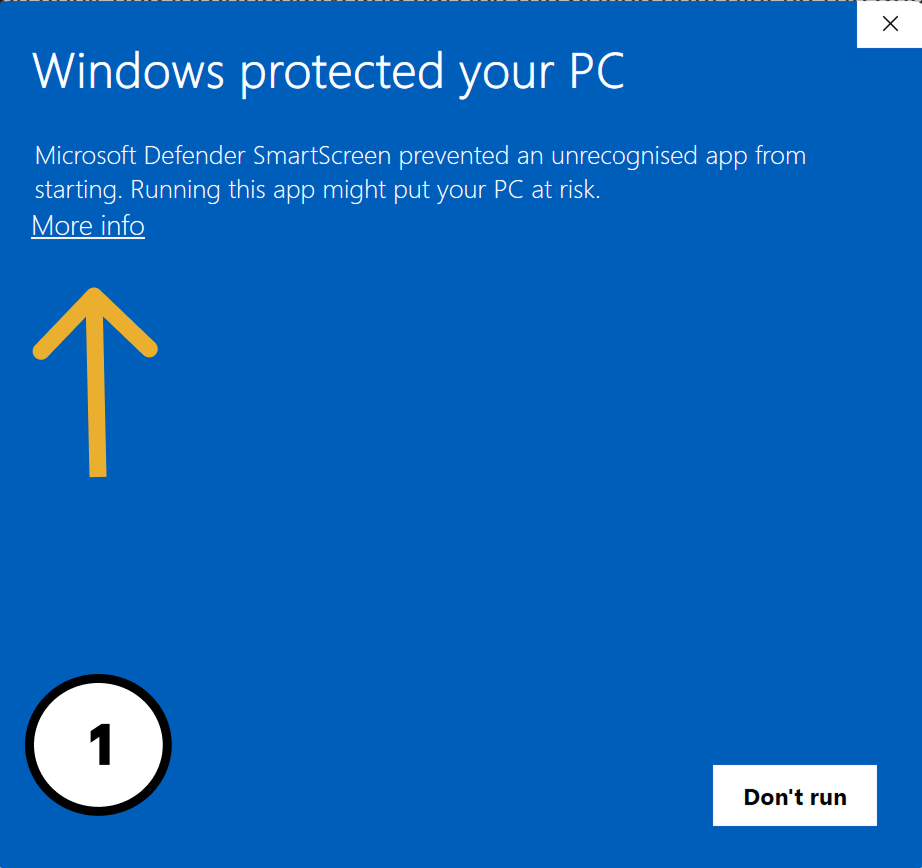
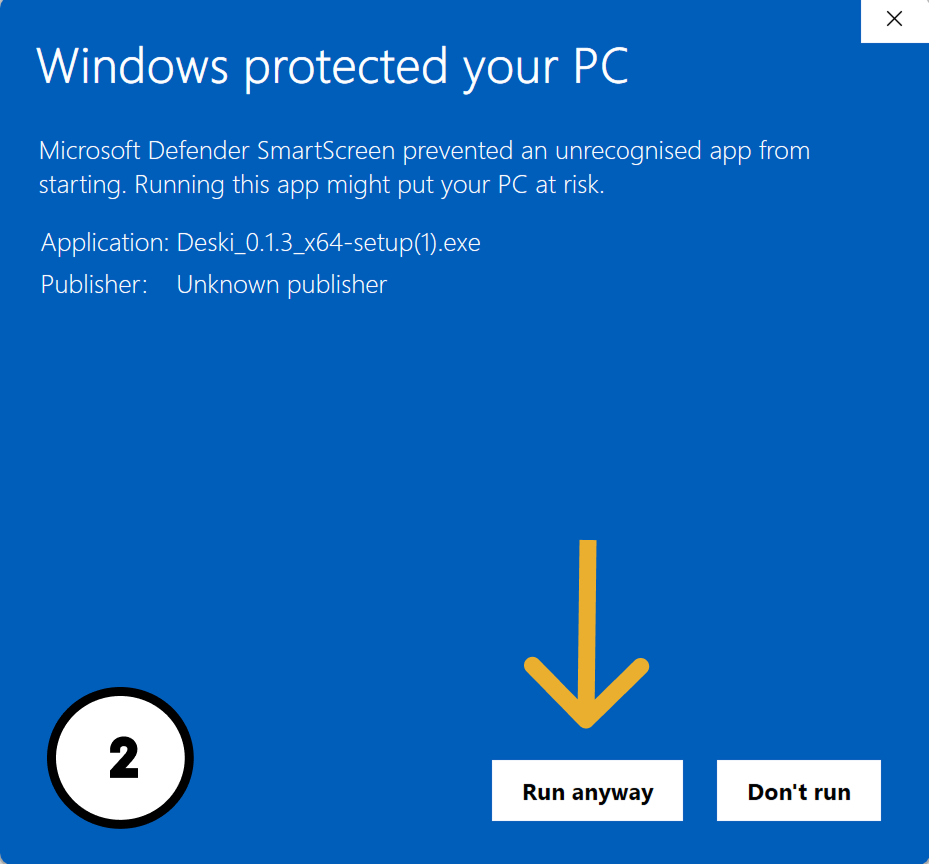
Run the installer and follow the prompts. Deski is not code-signed yet, so Windows will show a “Windows protected your PC” screen the first time. That message means Windows doesn't recognise the publisher — not that anything is wrong with the file. Click More info, then Run anyway.
You don't have to take our word for it: every release publishes the SHA-256 fingerprint of the exact installer we built, so you can check the file you downloaded is byte-for-byte the one we published. Instructions are below.
Installing on a work or company computer?
Check with your IT department before you install. Most organisations have policies covering unsigned or third-party software, and many managed machines will block the installer outright — or allow it and flag it later.
It helps to send IT this page, the Privacy Policy, and the SHA-256 fingerprint below: those answer the three questions they will ask — what it does, what leaves the machine (nothing you track), and how to verify the file is genuinely ours.
Signing in
Deski asks you to sign in the first time so it can check your subscription. Enter the email address you used at checkout — or the one you applied with, if you are a beta tester — and we'll send you a 6-digit code — no password to remember. You can also sign in with the license key from your purchase email if you prefer.
Only your subscription status is checked online. Your tracked time, tags and notes stay in the local database on your machine.
System requirements
- Windows 10 or 11, 64-bit.
- Roughly 15 MB of disk space, plus your own tracking data.
- An internet connection for sign-in and the daily subscription check. Deski keeps working offline in between.
macOS and Linux aren't available yet. If you'd like either, email [email protected] and tell us which — it's how we decide what to build next.
Need a hand?
The documentation covers the app page by page. If something isn't working, email [email protected] and a human will reply.